Sponsor
HCD @ Cox Enterprises
TOOLS
Figma • Google Form • Miro •
Qualtrics • Microsoft Form •
Microsoft Excel
ROLES
UX/UI Designer
UX Researcher
DURATION
AUG 2025 - DEC 2025
PLATOFORM
Website



OVERVIEW
background
Partnering with the Human-Centered Design (HCD) Team at Cox Enterprises, our goal was to eliminate high manual workload caused by fragmented resources and poor program visibility. My team and I designed a centralized website solution to streamline resource access, clarify learning paths, and significantly reduce administrative burden, creating a single source of truth for all HCD materials across the enterprise.
Current User Flow

Key Challenges
Scattered Resources
HCD materials are spread across multiple places and hard to find.
Poor Discoverability
Employees constantly email the HCD team for links and guidance.
Lack of Awareness
The HCD program is not formally advertised, relying only on word-of-mouth.
Generic Learning Paths
Current resources don’t adapt to different skill levels.

PROBLEM STATEMENT
How might we help Cox employees self-serve HCD resources, so the team can focus on higher-leverage work?
TL:DR
Solution
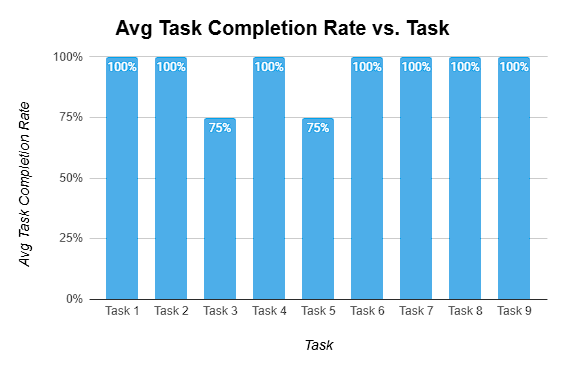
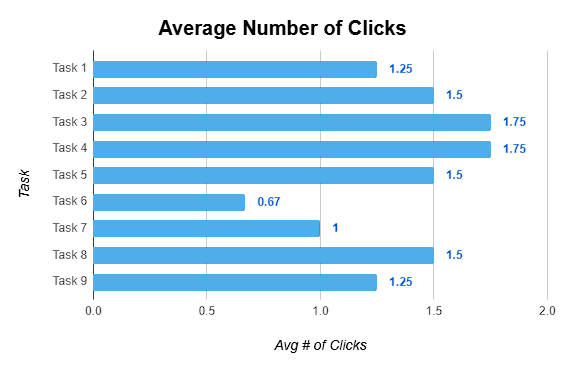
I designed a centralized HCD resource hub that consolidates all Human-Centered Design materials into a single and accessible platform. Testing validated the design's effectiveness: 94% of users successfully completed their tasks and found resources in under 2 clicks. This streamlined experience has the potential to reduce basic inquiries to the HCD team, enabling them to focus on high-impact consulting and strategic initiatives while increasing program visibility across Cox.
%
Task Completion
.
Number of Clicks
%
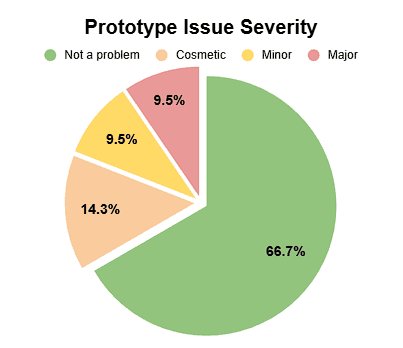
No Major Severity Issue
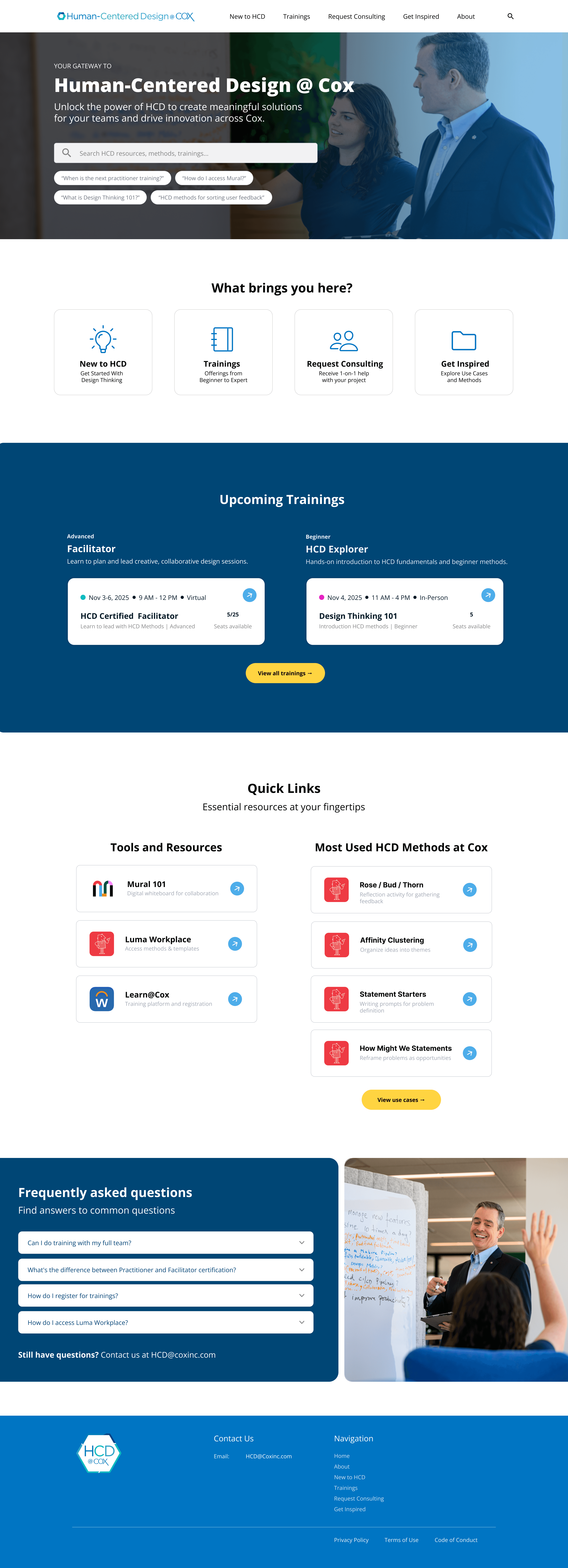
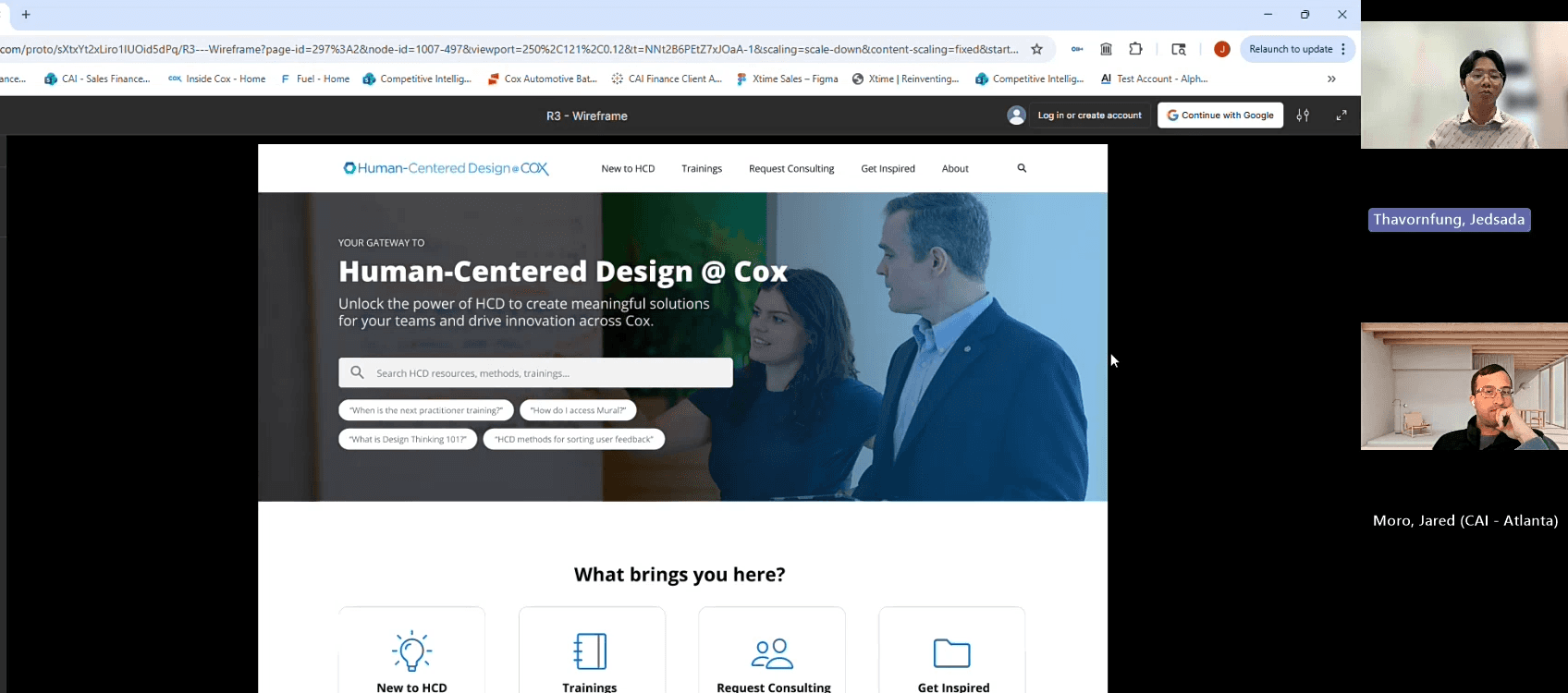
Homepage
Search bar with suggested prompts
Four motivation-based pathways:
Upcoming trainings calendar with registration links
Quick access to tools
Popular HCD methods showcase
FAQ section for self-service support
New to HCD
Introduction to Human-Centered Design fundamentals
Benefits of using HCD in work
Actionable steps to learn more and access Cox resources
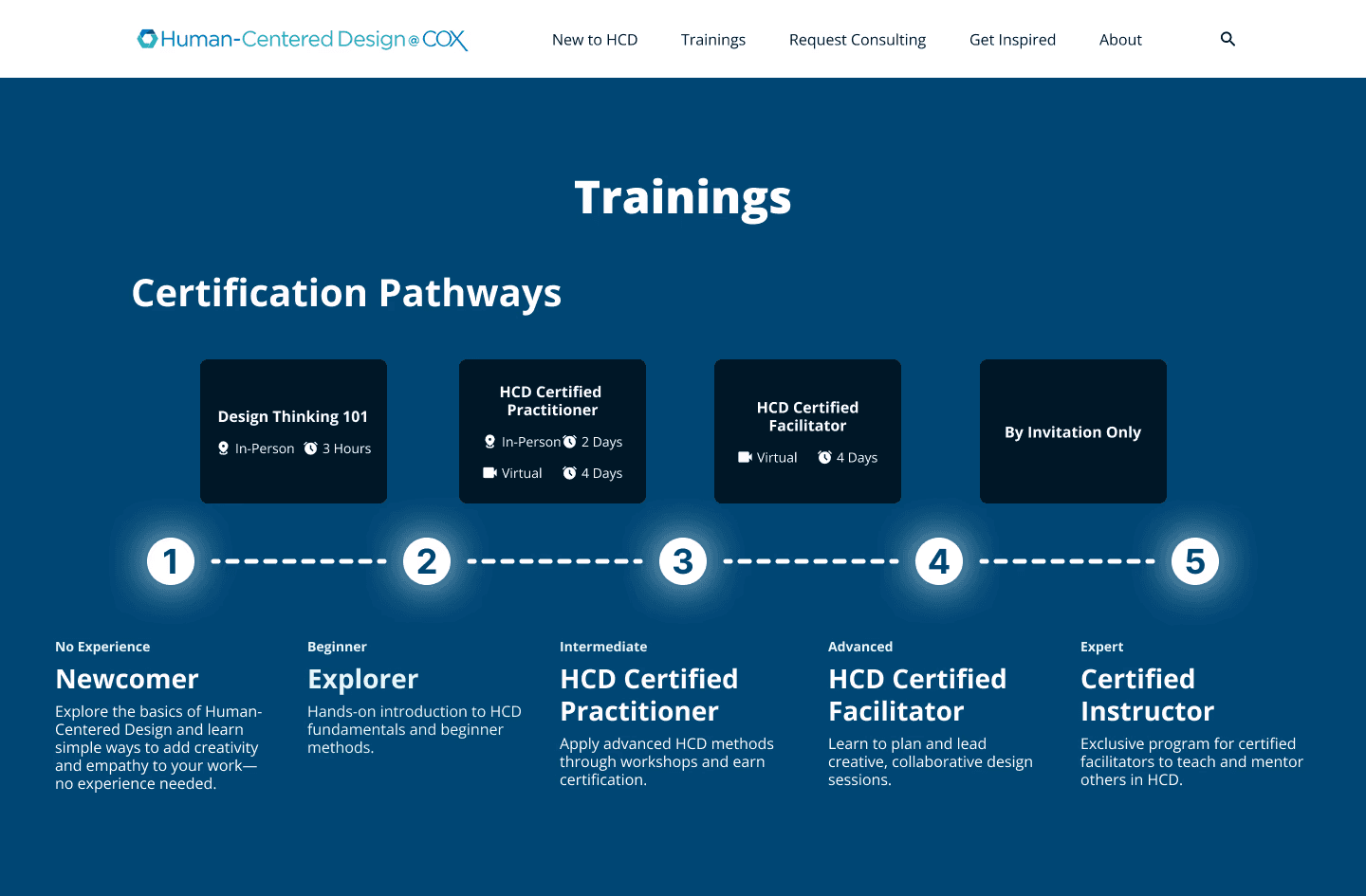
Trainings
Certification pathway options
Course details including learning outcomes, time commitments, and prerequisites
Calendar of upcoming sessions with registration links
Request Consulting
Internal UX team consulting services overview
Request form for project support (contact details, project needs, description)
Emphasis on Cox-aligned expertise as alternative to external consultants
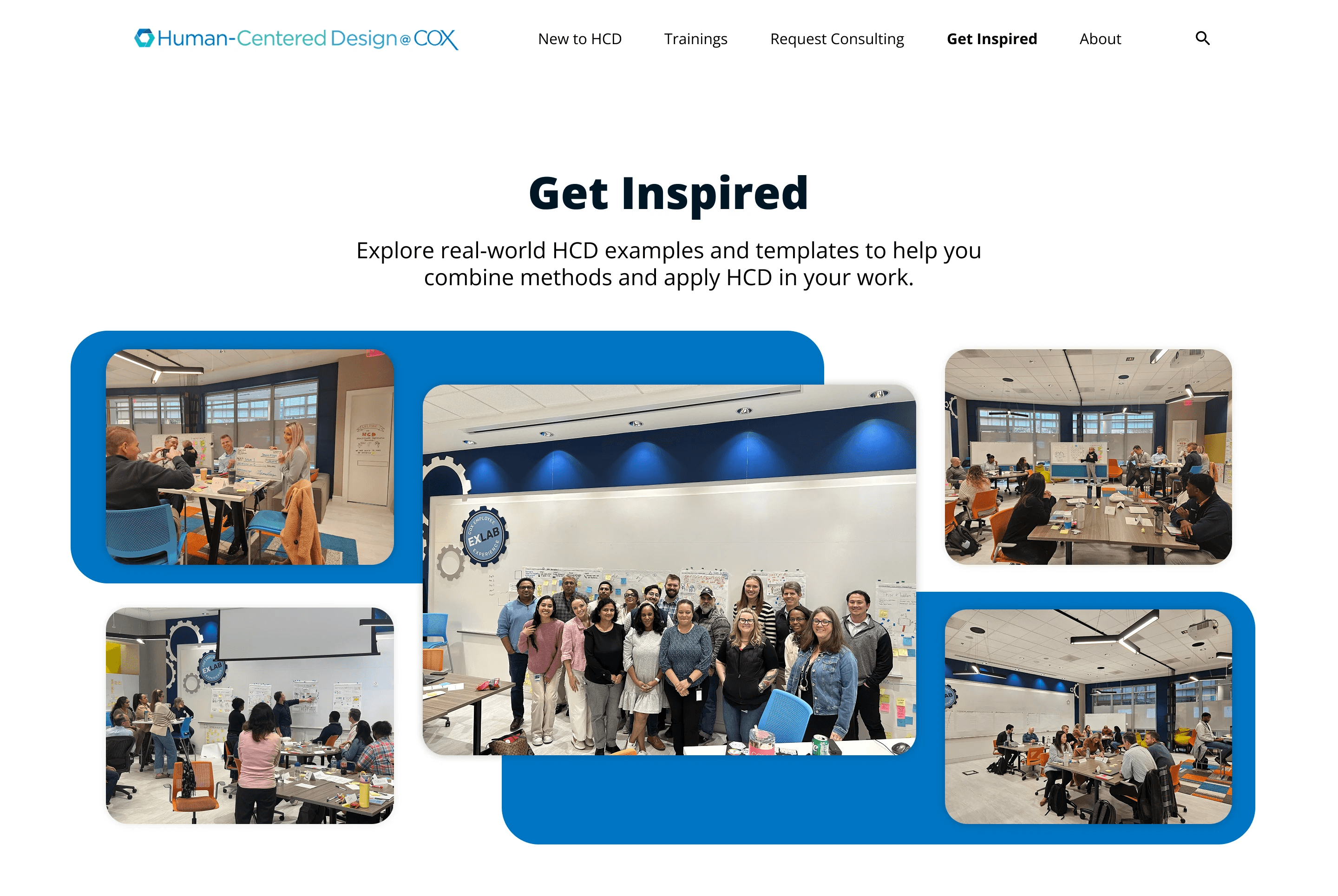
Get Inspired
Real-world use cases from different Cox divisions with project outcomes
Popular HCD methods from LUMA Workplace (Rose/Bud/Thorn, Affinity Clustering, etc.)
Links to full LUMA library and related resources
About
Overview of team's three main pillars/focus (trainings, consulting, university relations)
Team member profiles with contact information
Timeline
WK 1
Research
Research Methods
Research Findings
User Needs
Design Implications
Ideation + Design
Brainstorming
Concept Sketches
Feedback Sessions
Low-Fidelity Prototype
Evaluation
Heuristic Evaluation
Task-Based Testing
Next Steps
MEMBERS
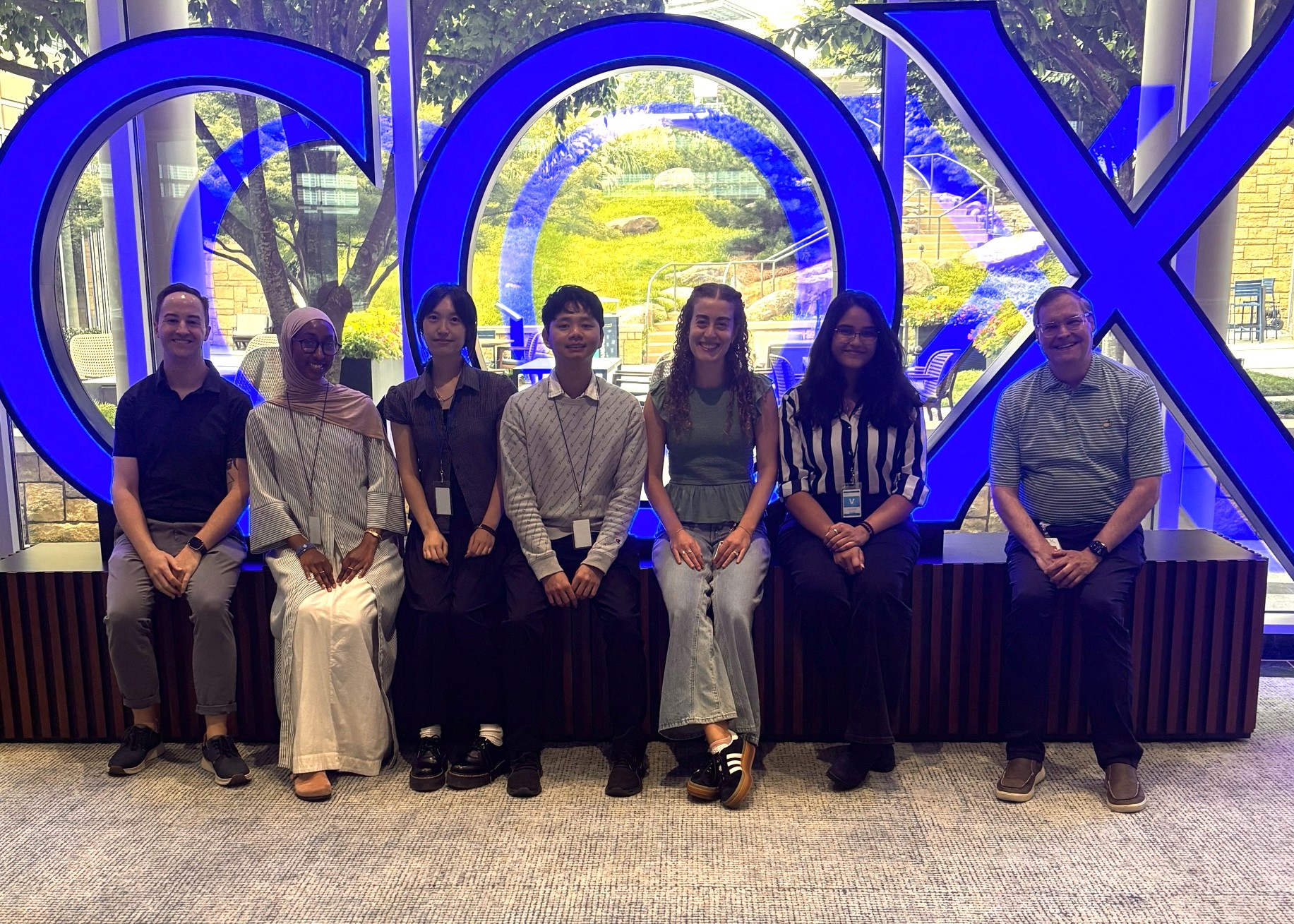
Maha S - Designer & Researcher
Cole M - Manager HCD & UX
Riley C - Analyst II
Brian A - Senior Director of HCD
Sonia L - Designer & Researcher
Neha K - Researcher & Designer
Jedsada T - Designer & Researcher
RESEARCH
Research questions
5
Researched questions were created to help to help address the problem statement.
How do employees currently search for and access HCD resources?
Interview | Survey | Task-Analysis
What barriers do employees encounter during resource search?
Comparative Analysis | Interview | Survey | Task-Analysis
How does the HCD team currently handle incoming requests?
What is the gap between how employees and HCD define resources?
Interview | Task-Analysis
What design patterns enable effective resource access and self-service?
Comparative Analysis
Research methods
To answer the research questions, a mixed-methods approach was employed, incorporating semi-structured interviews, task-analysis, (led) surveys, and comparative analysis. This combination enabled the collection of both qualitative and quantitative insights, provided a deeper understanding of user behaviors, and supported evaluation against existing solutions.
16
10
10
Interviews
4
Comparative Analysis
Interviews
Task-Analysis
Survey
(Lead)
Click on the circle to see more detail
Research Findings
Job to Be Done
I chose the Jobs to Be Done framework because it anchors design decisions in user motivation rather than demographic proxies, which provided us with more rigorous and durable foundation for defining features and evaluating competitive alternatives.
Discover What
HCD Resources Exist
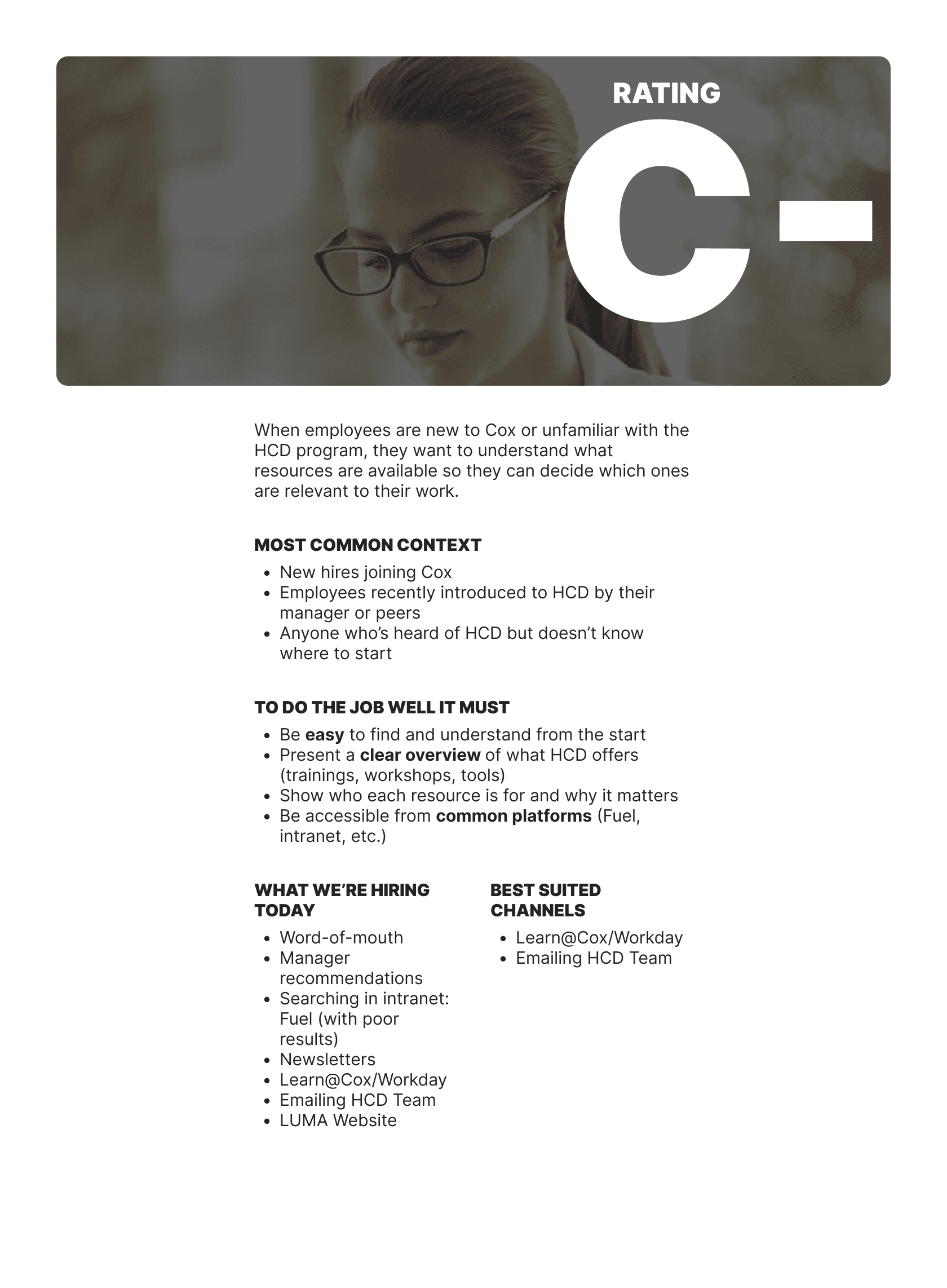
How well is this job being done today?
Find the Right HCD Resource
for My Specific Need

How well is this job being done today?
Learn@Cox searches return irrelevant information, outdated, or duplicate results.
Asking peers is much easier to gather information than self-service tools.
Design implications
Our research revealed eight key findings that highlight critical patterns in user needs, behaviors, and overall system interactions.
Design Implications (DI)
Search experience overwhelms users and lacks differentiation between results.
Interviews | Task Analysis | Comparative Analysis
Improve resource discoverability via visual thumbnails and smart filtering.
1
Registration and confirmation create uncertainty and dependency on manual support.
Interviews | Task Analysis
Implement automated confirmations and real-time waitlist notifications.
2
Limited navigation constrains exploration and self-directed learning.
Interviews | Comparative Analysis | Task Analysis
Introduce multiple discovery modes: Browse by Topic, Recommended, Trending.
3
Users want intelligent and personalized support.
Surveys | Interviews
Implement intelligent personalization based on user role, needs, and context.
4
HCD resources feel fragmented across platforms with no centralized access.
Interviews | Task Analysis | Survey
Serve as the single entry point for all HCD resources.
5
HCD team faces high manual overhead from repetitive, automatable requests.
Interviews (HCD Team) | Task Analysis
Limit staff involvement in routine requests to reduce manual overhead.
6
Employees rely on personal networks over self-service systems.
Survey | Interviews
Minimize friction — resources findable in 2 clicks or less with contextual help.
7
Employees build personal workarounds due to inaccessible official resources.
Interviews | Task Analysis
Enable personalization, reusability, and clear labeling of official versions.
8
DESIGN
Concept Sketches
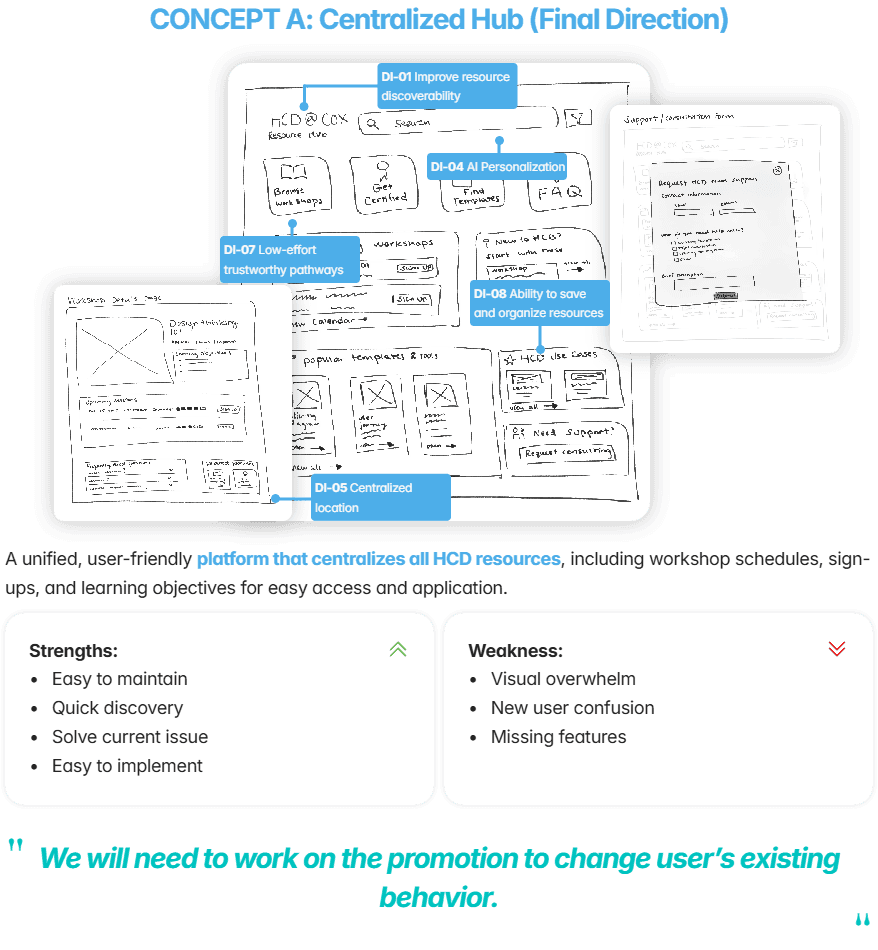
The ideation process began with a brainstorming session with the HCD Team at Cox, where I helped manage and facilitate the meeting. Following internal brainstorming sessions where I worked with the team to generate ideas, an ideation session utilized dot voting to identify the most feasible solutions. Through this process, three sketch concepts were developed that covered the design implications (DI) from the research findings.
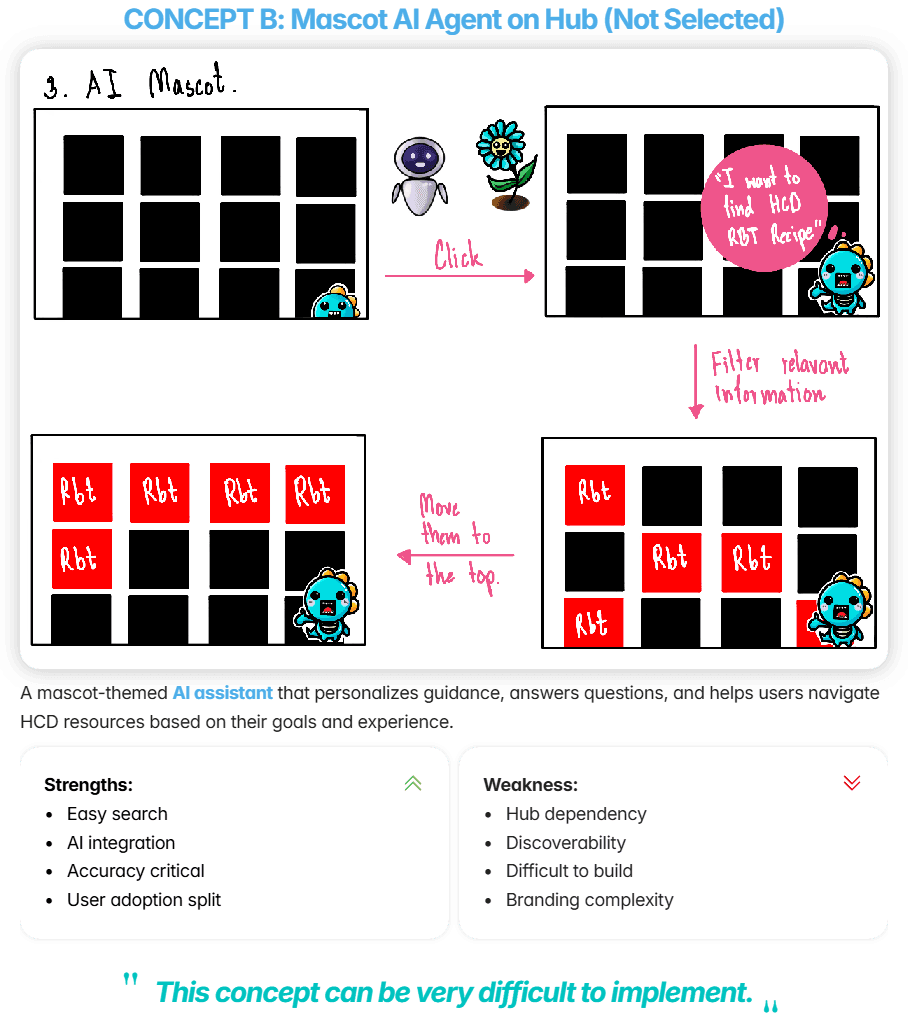
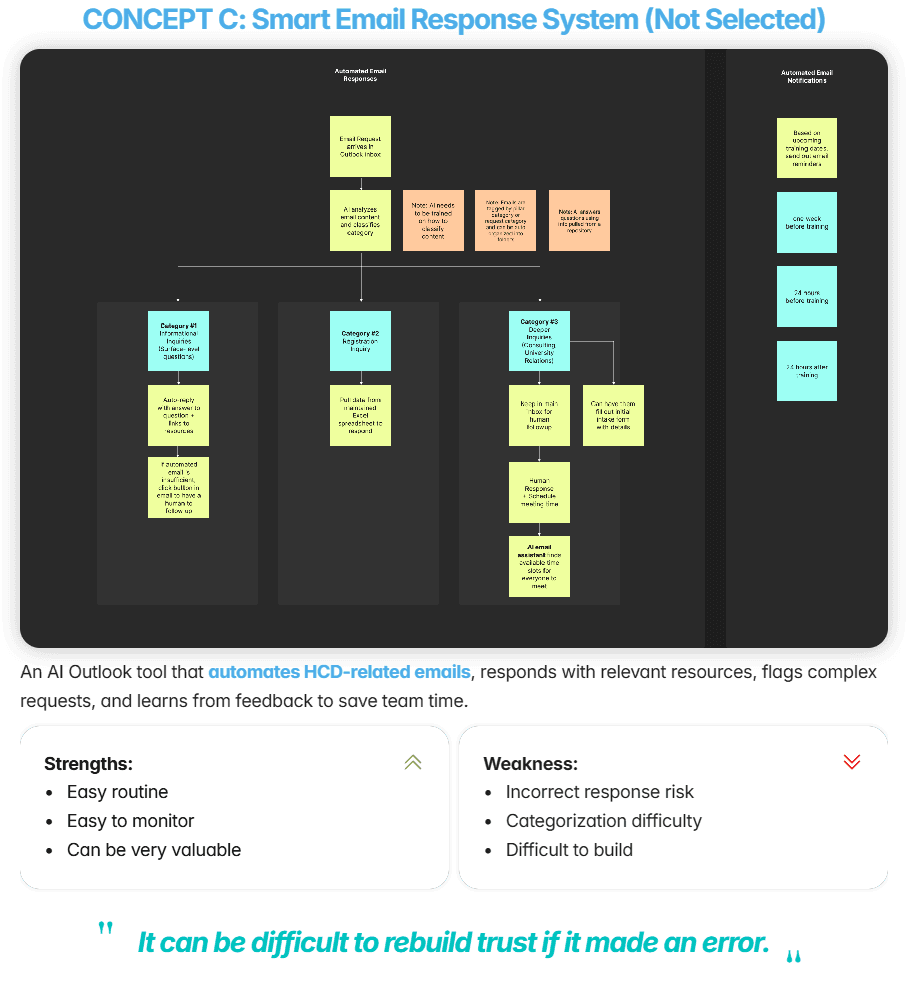
Low-Fidelity
Based on the feedback, we have decided to move forward with Concept A: Centralized Hub. This option is the most feasible and presents no concerns with AI approval. It is easy to maintain by the stakeholder's team and offers the flexibility to implement AI capabilities later on as our needs evolve.
Homepage
Trainings
Get Inspired
New to HCD
Request Consulting
About
Design Iterations
This section highlights the key design changes made between the low-fidelity concepts and the final high-fidelity solution. Before building the high-fidelity designs, moderated feedback sessions using a think-aloud method were conducted with Cox employees to evaluate the low-fidelity wireframes.
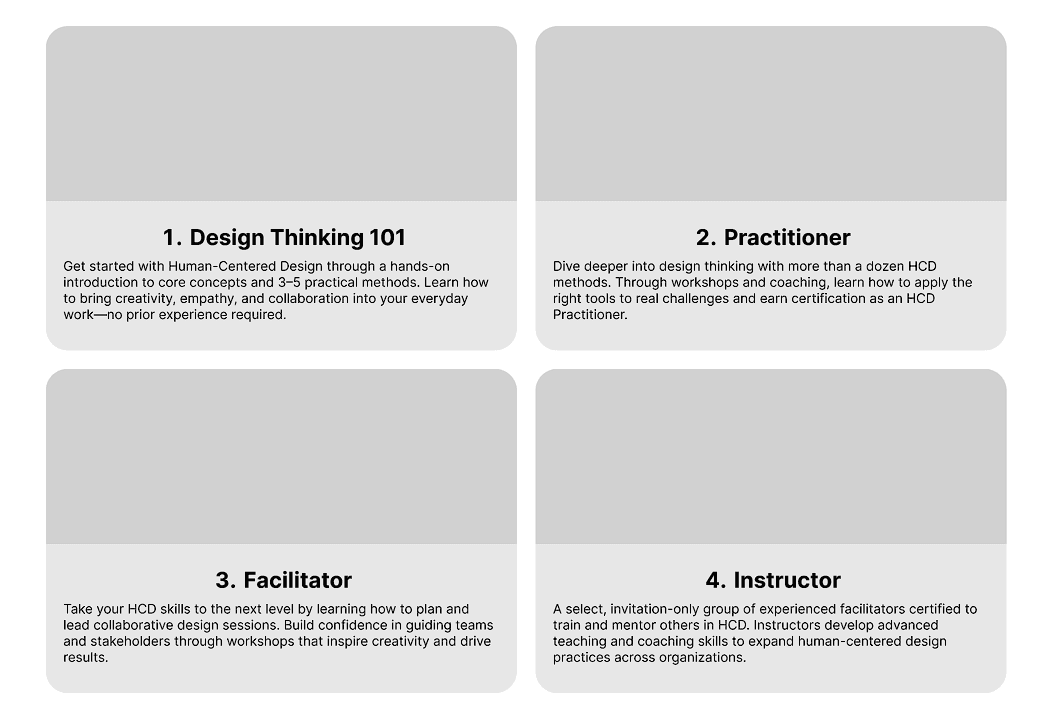
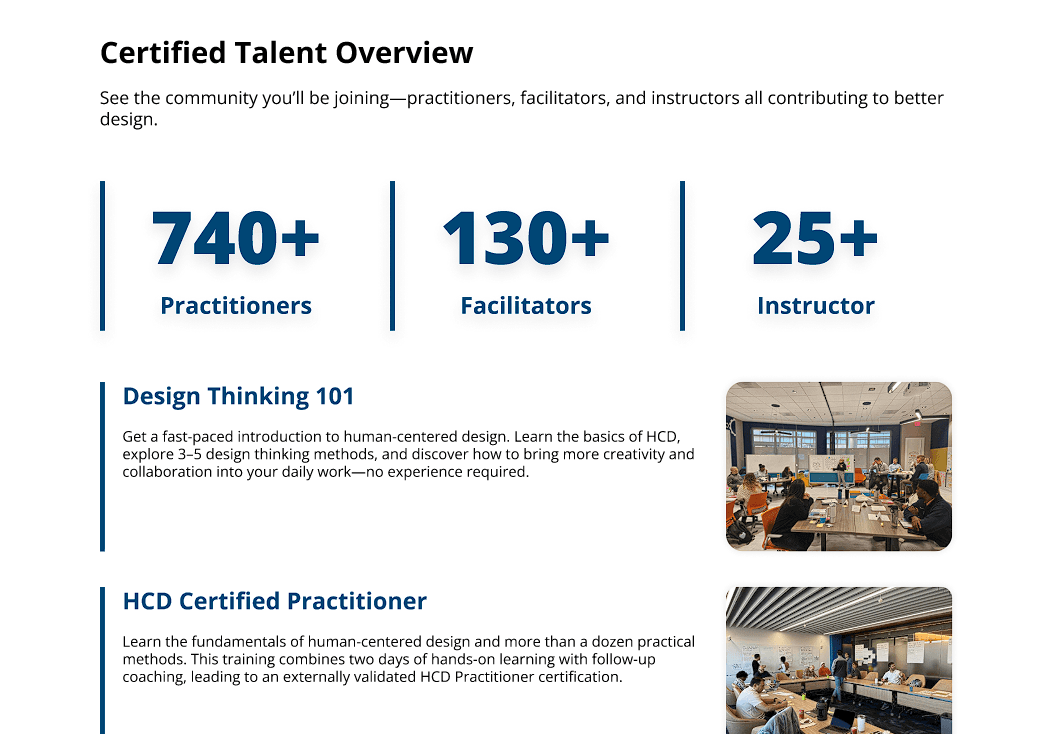
What's changed:
Add more statistics about past courses, including the number of trained practitioners, facilitators, and instructors.
Provide more details about each course, highlighting what it offers and what participants can gain.
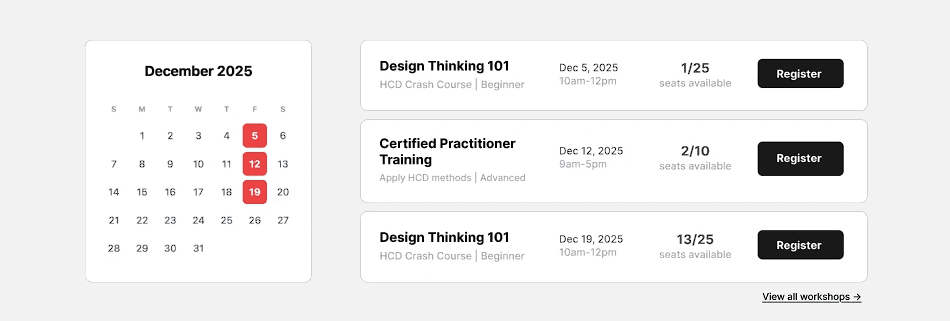
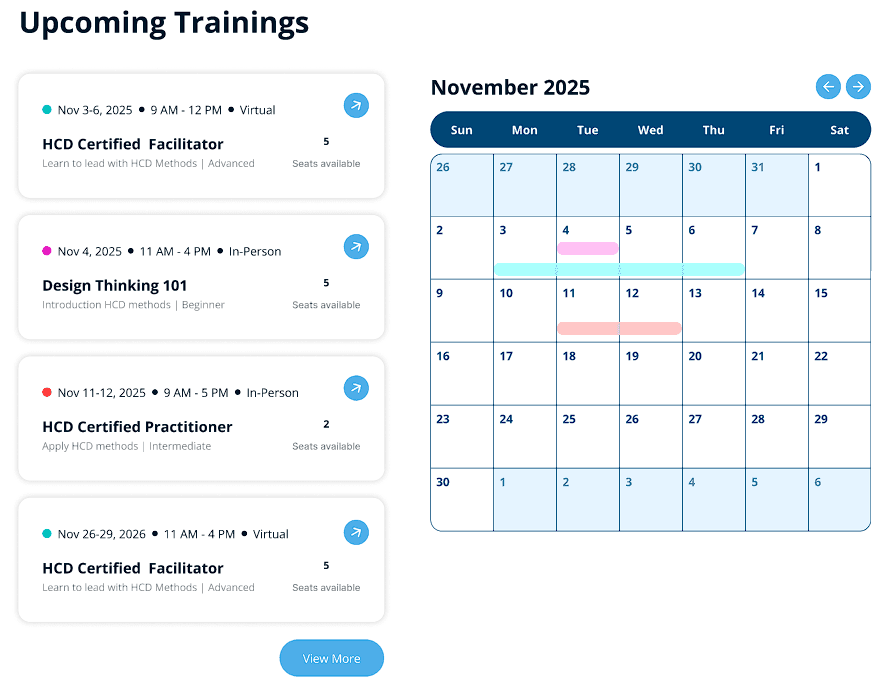
What's changed:
Add more information, such as the platform (online vs. in-person), to the calendar card.
The calendar view indicates the type of training scheduled for each day through color differentiation.
What's changed:
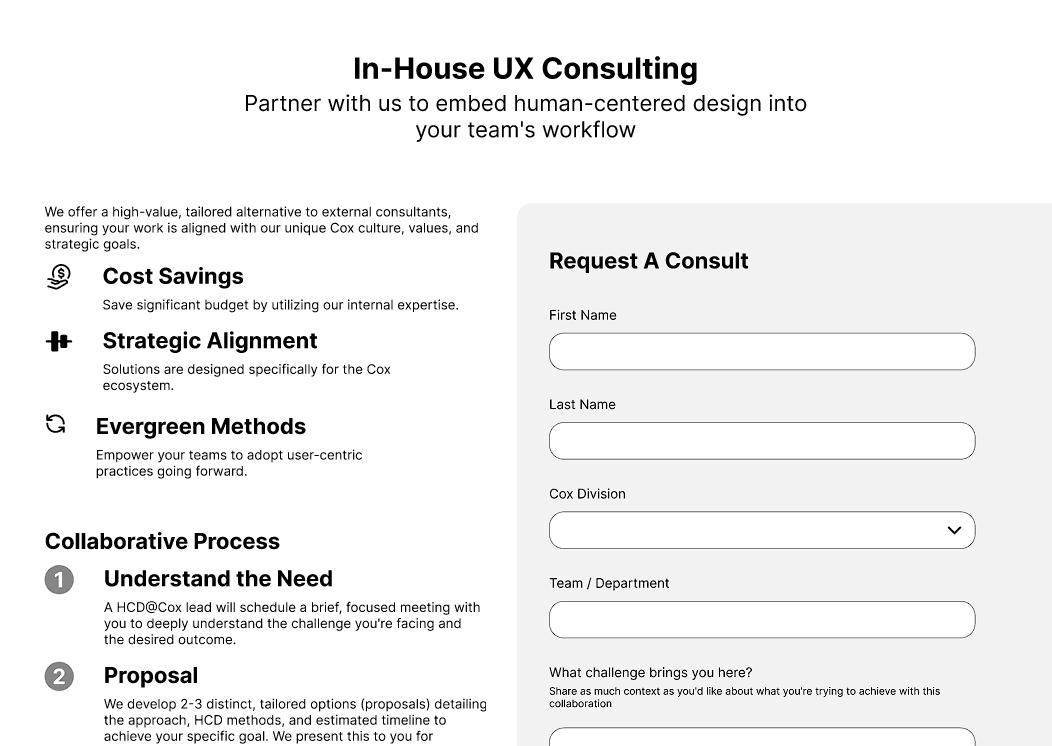
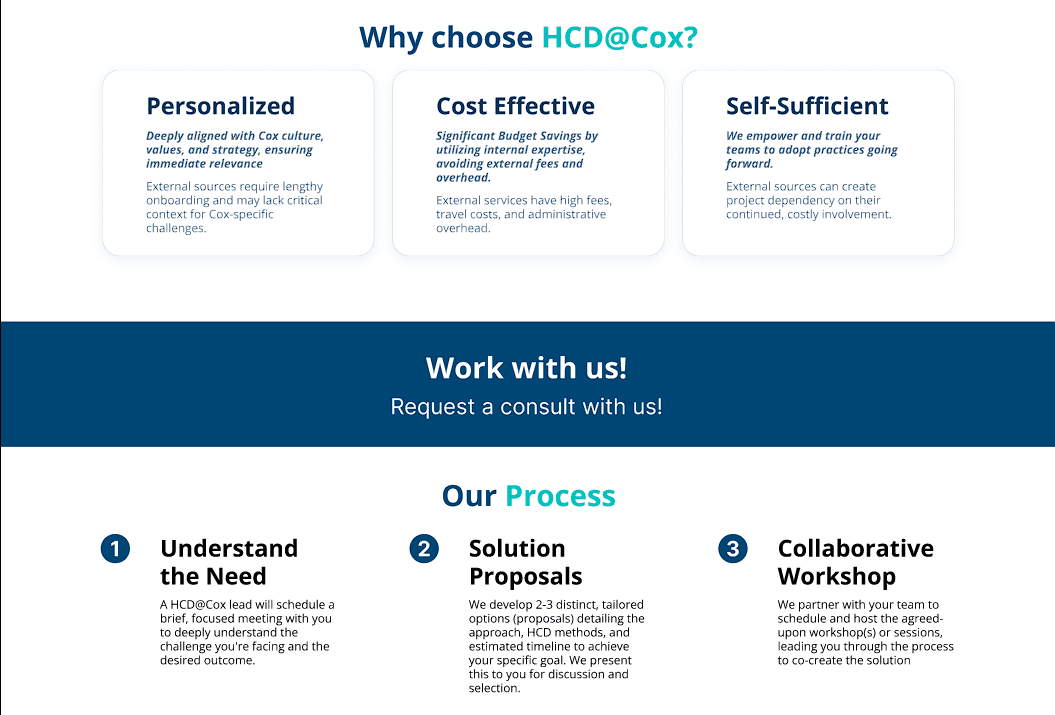
Add more context to the request form to clarify its purpose.
In the low-fidelity design, the “$” icon led users to believe that submitting a request would cost money. The design was updated to clearly communicate that HCD services are free to use.
What's changed:
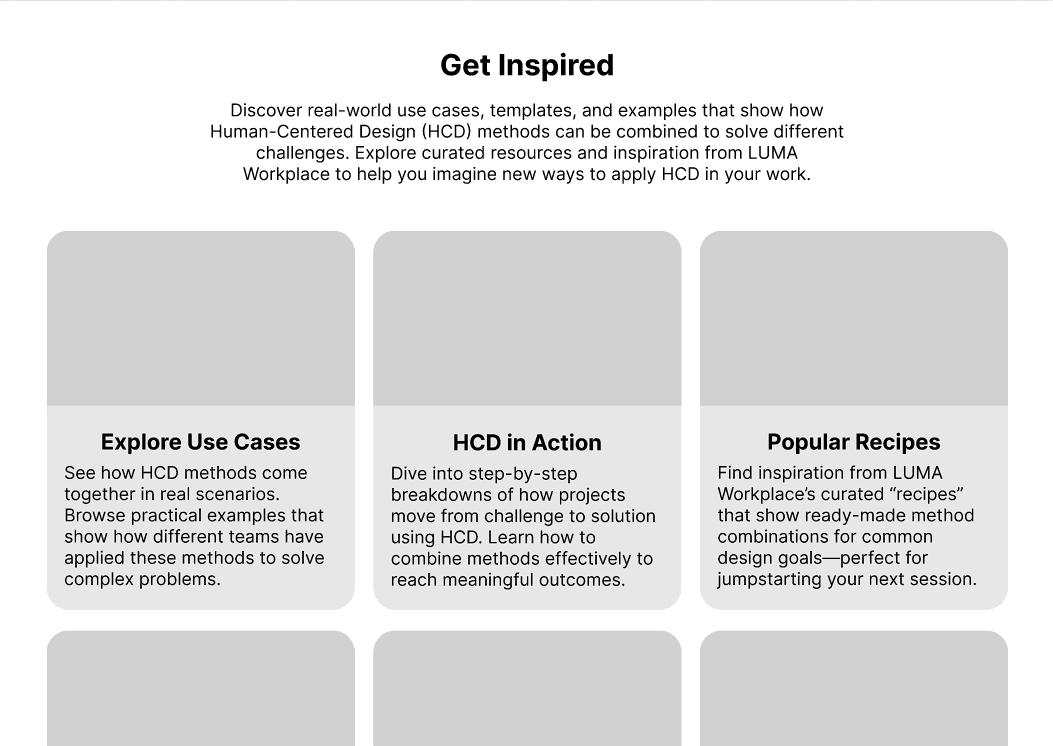
The “Get Inspired” page felt cluttered and visually overwhelming.
Additional white space was introduced to improve readability and visual hierarchy.
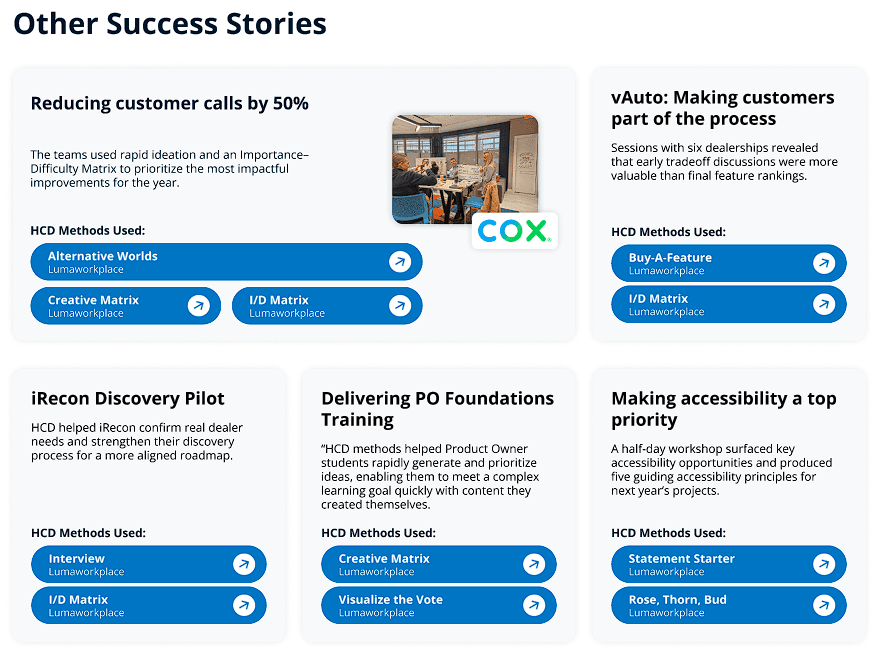
A direct link to the relevant method was added after each success story to support clearer next steps.
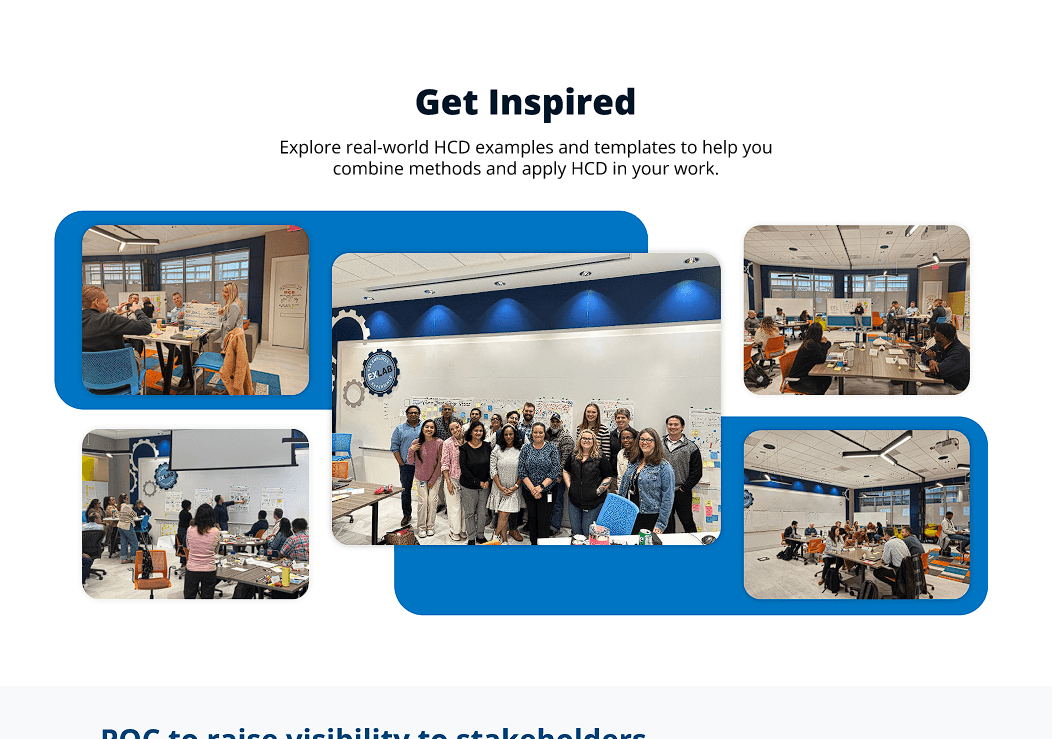
Added pictures from the past activities.
Design Evaluation and Validation
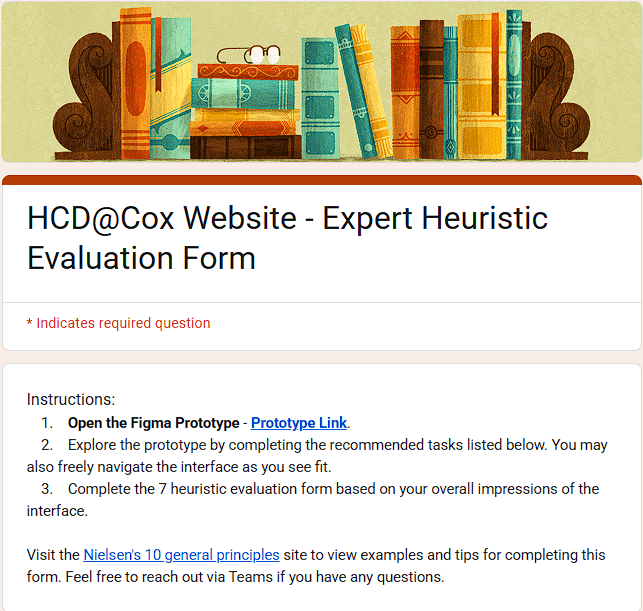
To assess the effectiveness and usability of our high-fidelity prototype, I conducted expert evaluations with our stakeholders (n = 3) and user evaluations with Cox employees (n = 4). The expert evaluation used Heuristic Evaluation to identify glaring usability issues early on, before investing in user testing. The user evaluation employed task-based testing with a think-aloud protocol to observe real user behavior and gather both quantitative performance metrics and rich qualitative feedback.
Participants
3 Stakeholders
(First time seeing high-fidelity prototype)
4 Cox Employees
(First time seeing high-fidelity prototype)
Procedure
Heuristic Evaluation
Perform 9 tasks
Asynchronous (via Google Form)
Unmoderated protocol
Task-Bases Testing
Perform 7 tasks (same)
Synchronous (via Teams)
Moderated protocal
Result (All)
%
Task Completion
.
Number of Clicks
%
No Major Severity Issue
Design Recommendations
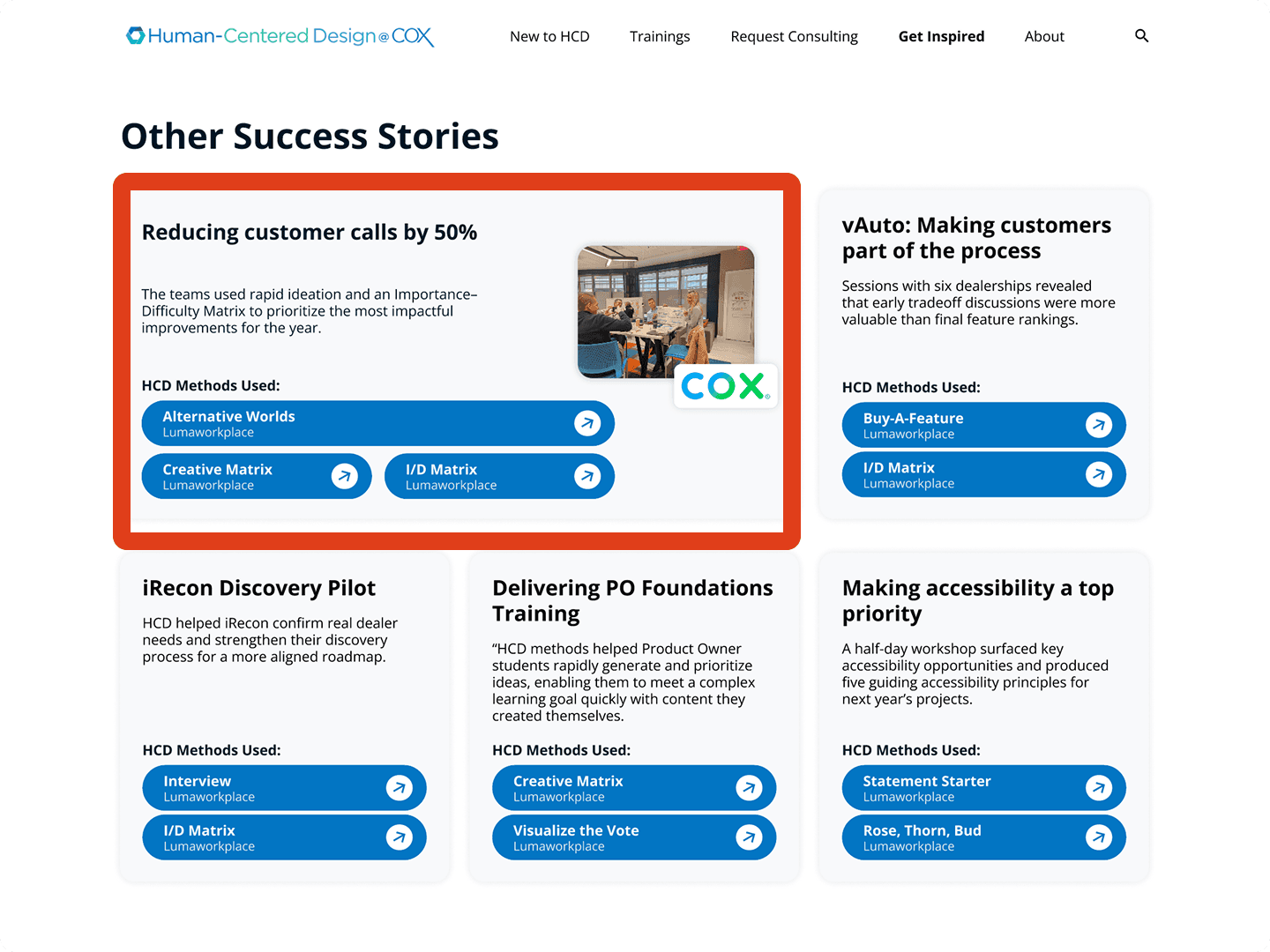
Issue: Several visual elements appear clickable but aren’t interactive.
Solution: Ensure consistent interaction patterns.
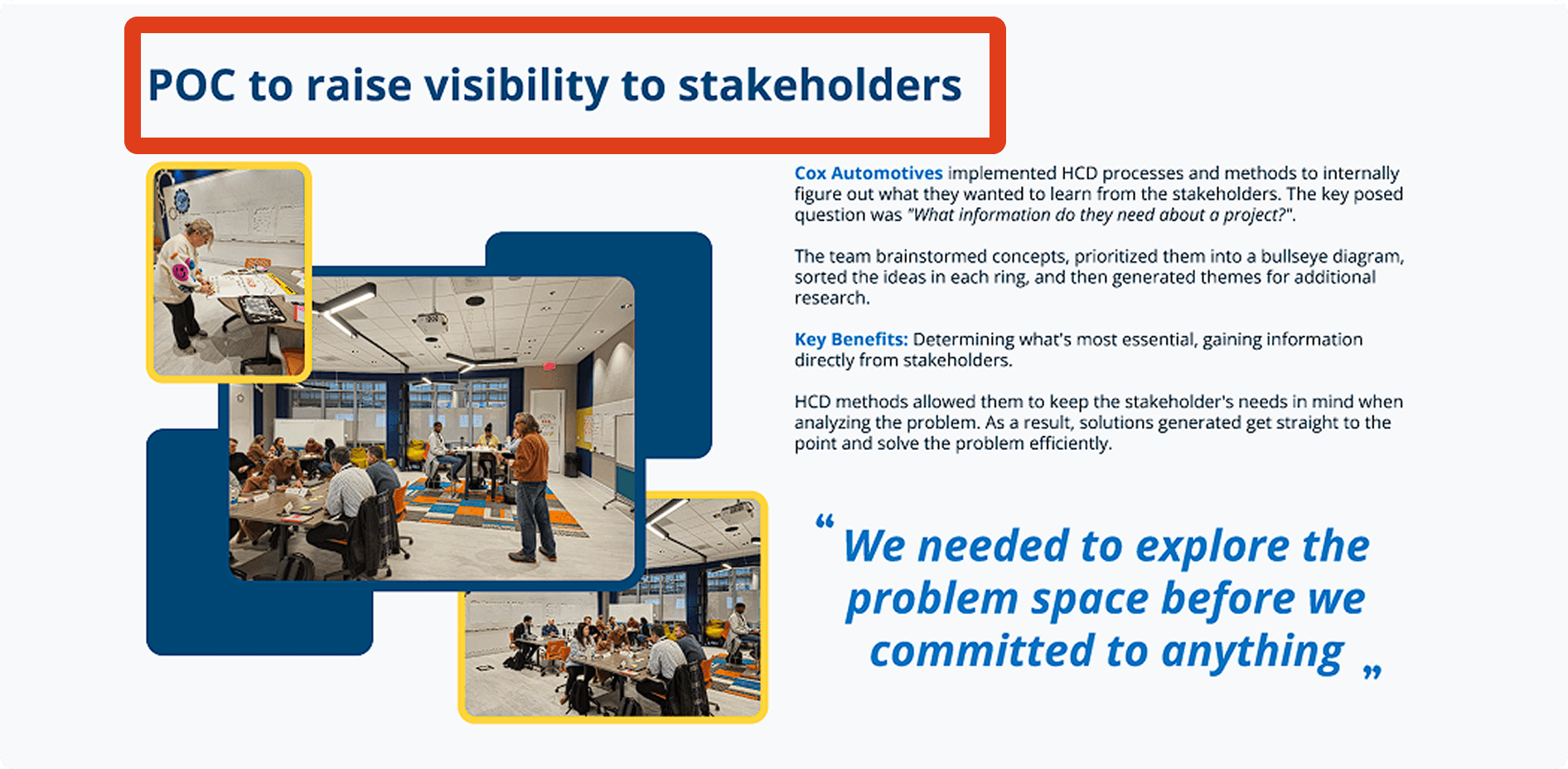
Issue: Project titles/descriptions use vague language that doesn’t convey purpose.
Solution: Replace vague labels with clear wording, and use action-oriented phrasing.
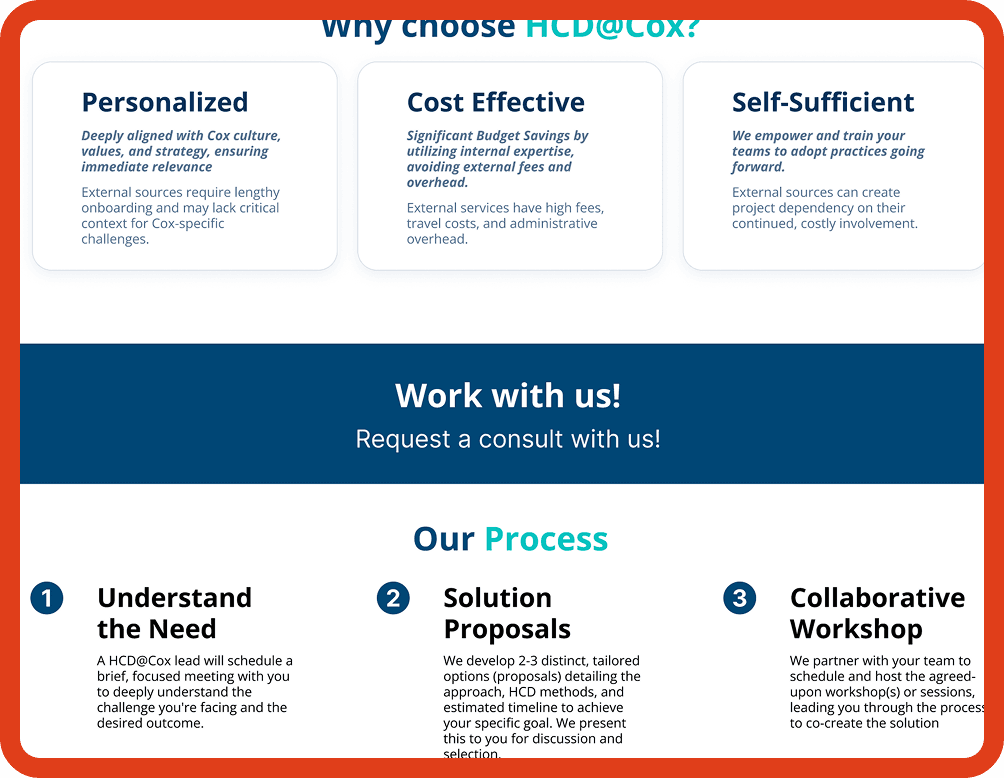
Issue: Introductory text is overly long for informed users.
Solution: Shorten or make intro text skimmable.
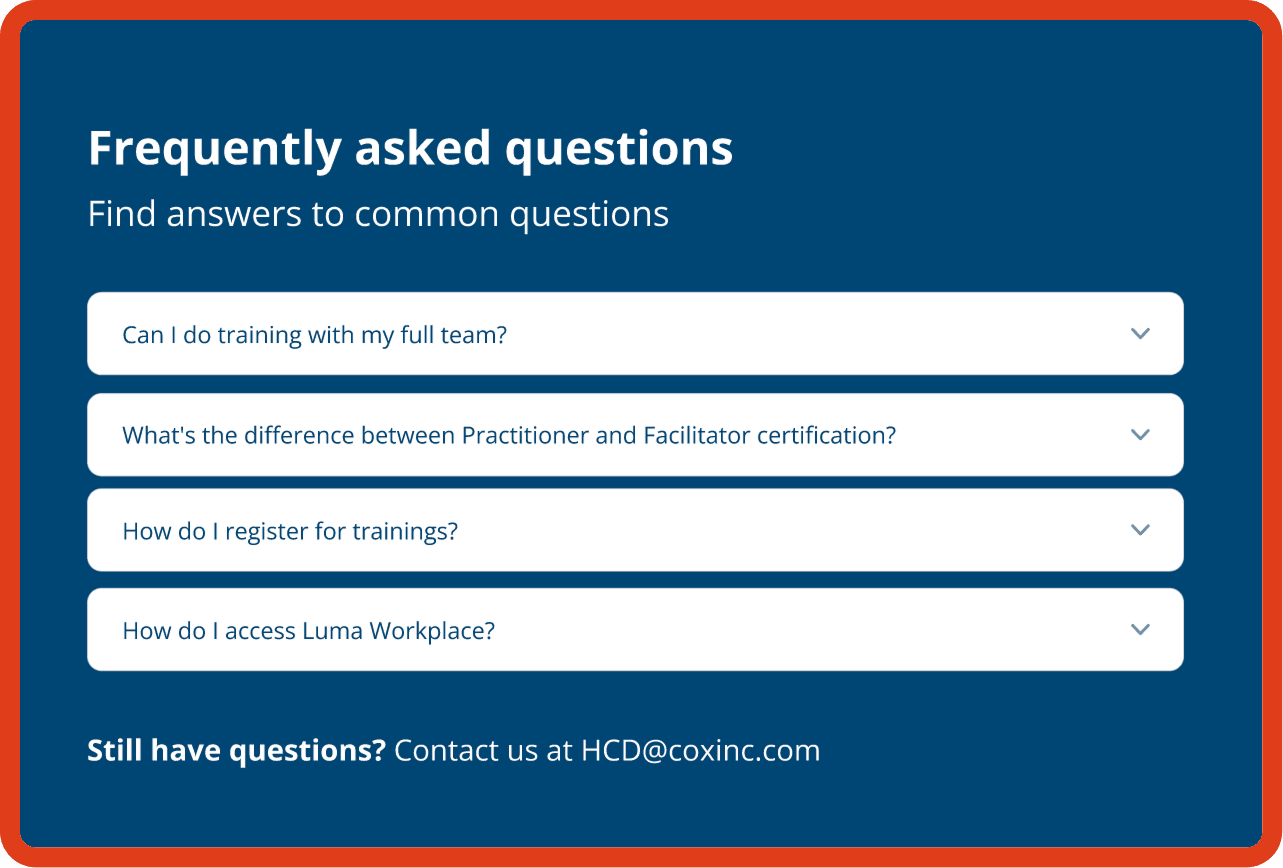
Issue: Important sections such as Popular Methods or FAQ are too low on the page.
Solution: Move popular methods and FAQs higher on pages or into top navigation.
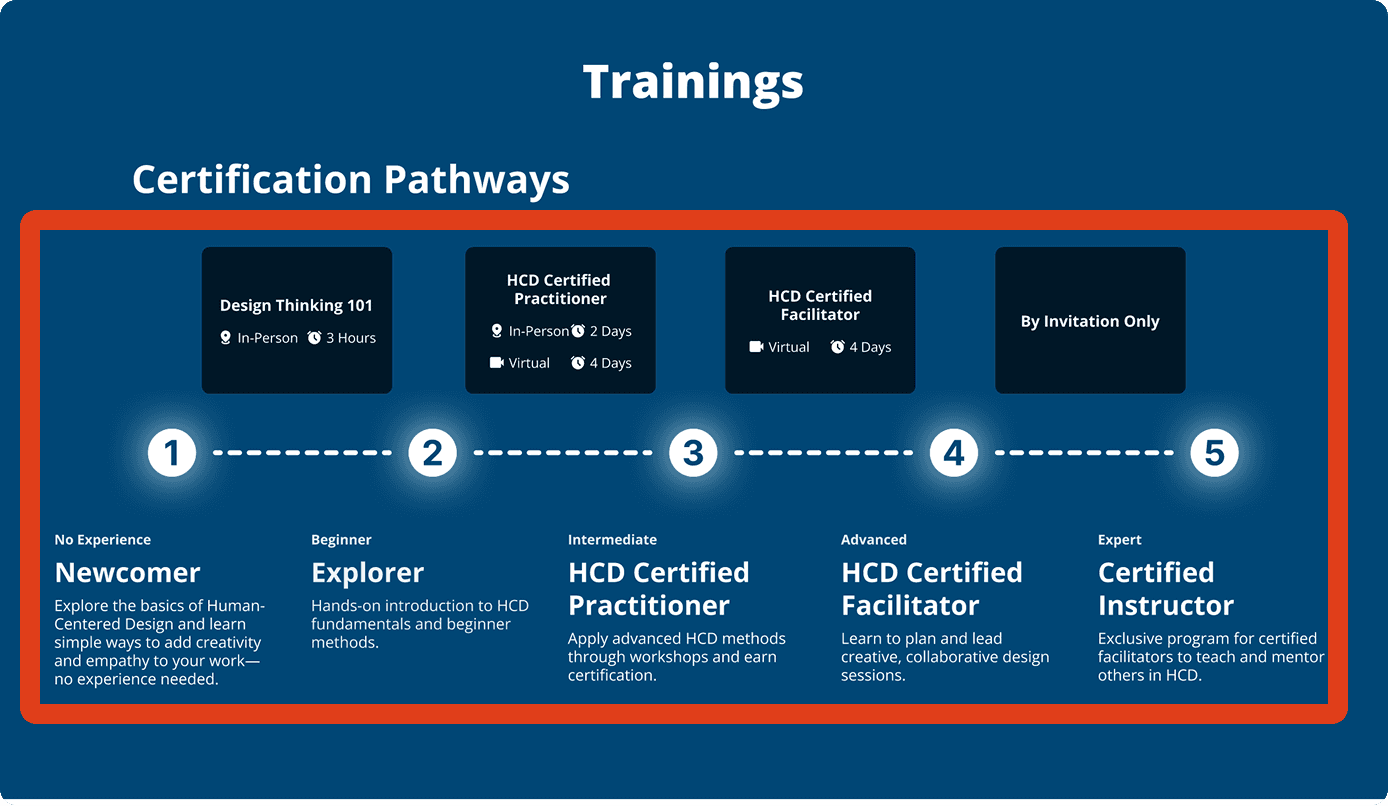
Issue: The certification timeline is unintuitive.
Solution: Explicitly indicate whether steps are sequential or independent.
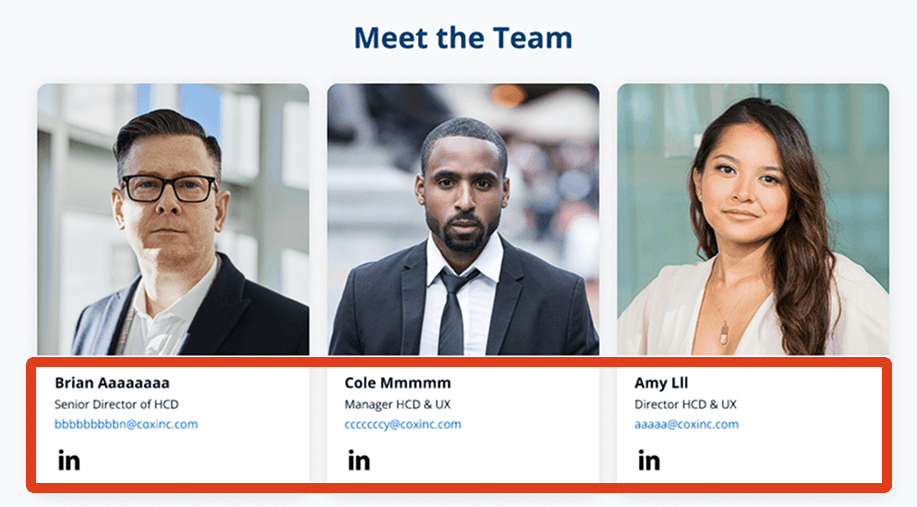
Issue: Users don’t know who to contact for different needs, what the expected response times are, or basic training details (format, duration). FAQs are hard to find.
Solution:
Provide role-specific contact guidance for different support needs and add expected response times for all request types.
Design System
When deciding the visual style of the centralized hub, I kept in mind Cox Enterprises and the HCD Team's established theme. I aligned the design with Cox's visual language, using their signature blue palette with light blue accents for strong color contrast and accessibility. I also adopted the same typography from Cox Enterprises' main website to maintain brand consistency. This cohesive approach ensures our hub integrates seamlessly with Cox's digital ecosystem while providing a clear, professional interface.
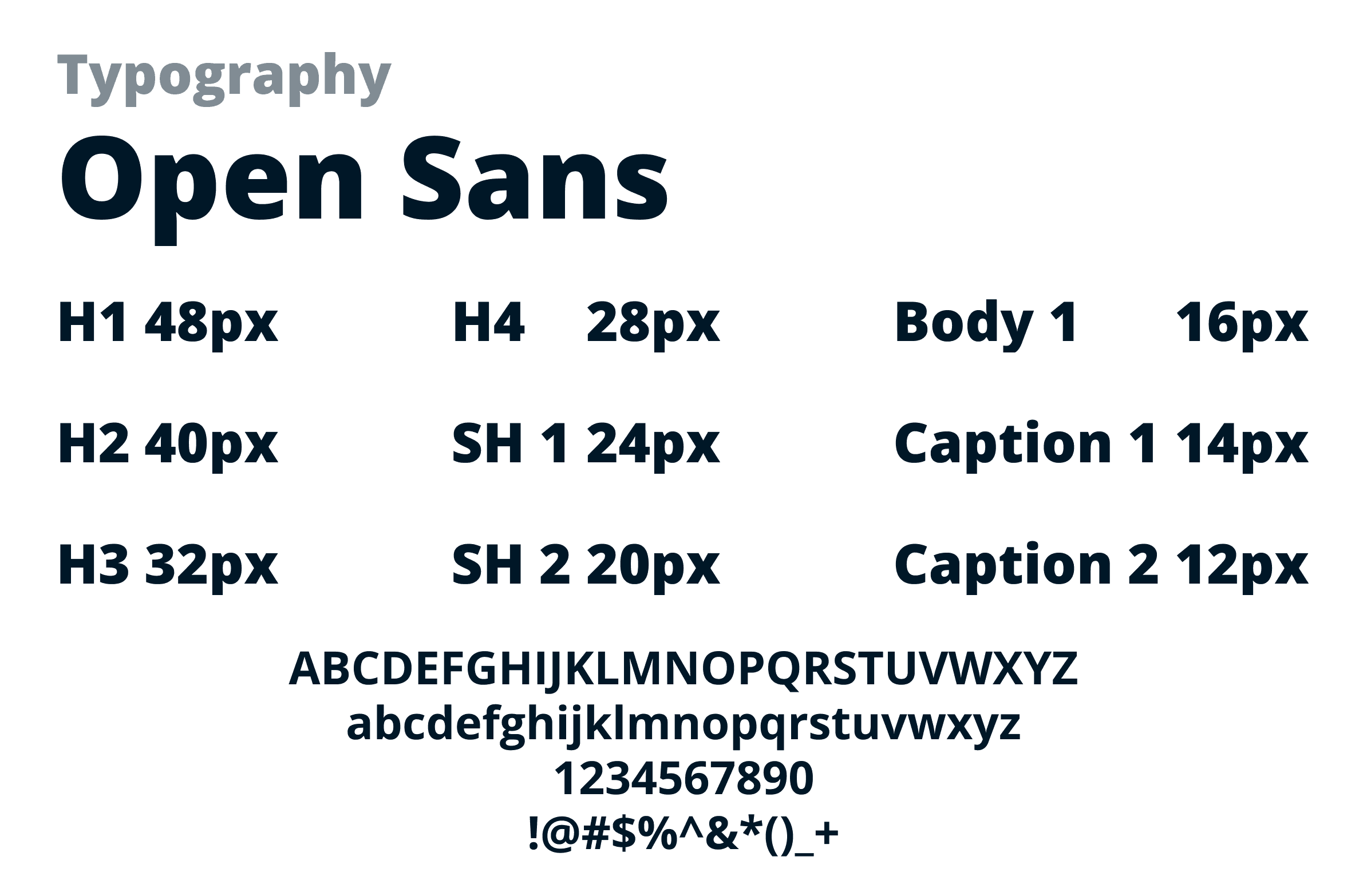
Font: I used the Open Sans font to maintain branding consistency with Cox Enterprises. I also selected alternative character options to enhance legibility.

Color: I selected a blue color scheme aligned with Cox Enterprises' brand and HCD Team standards, ensuring consistency and accessibility across components
REFLECTION
Lessons Learned
Setting Your Project Up to Succeed
Shared Responsibility and Team Support
Fulfill your individual responsibilities while remaining willing to support your teammates when needed.